Minecraft Server Manager
GitHub
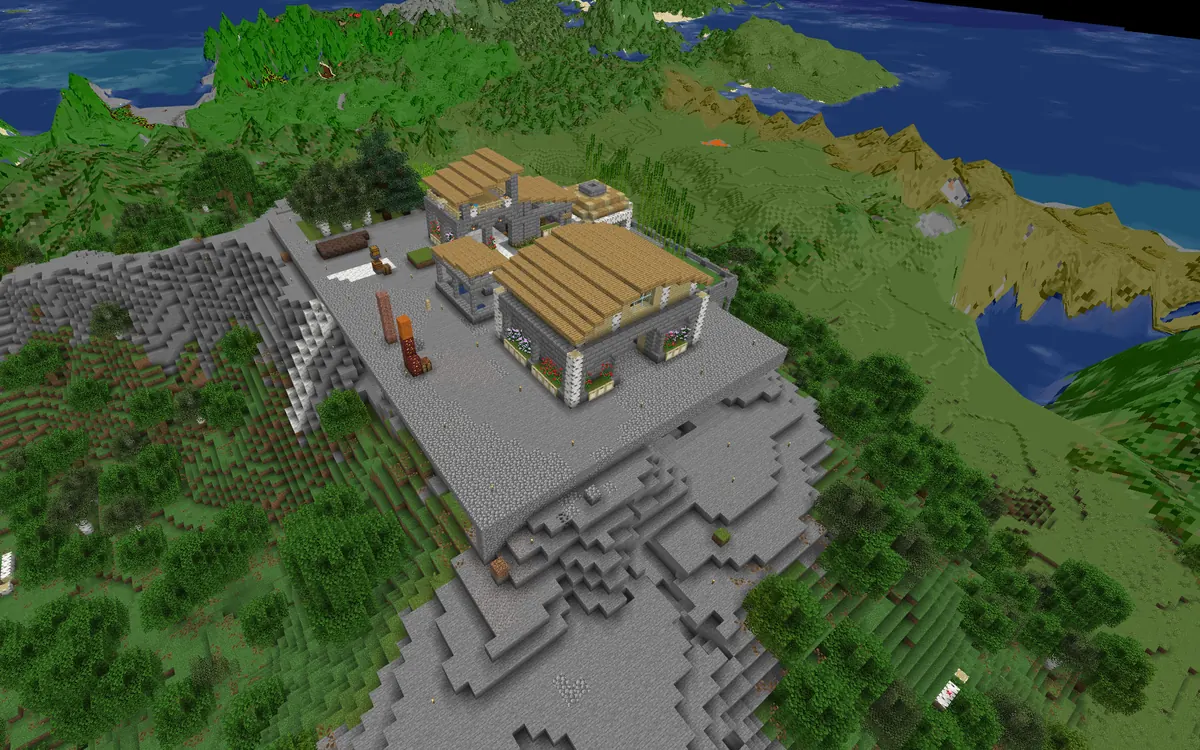
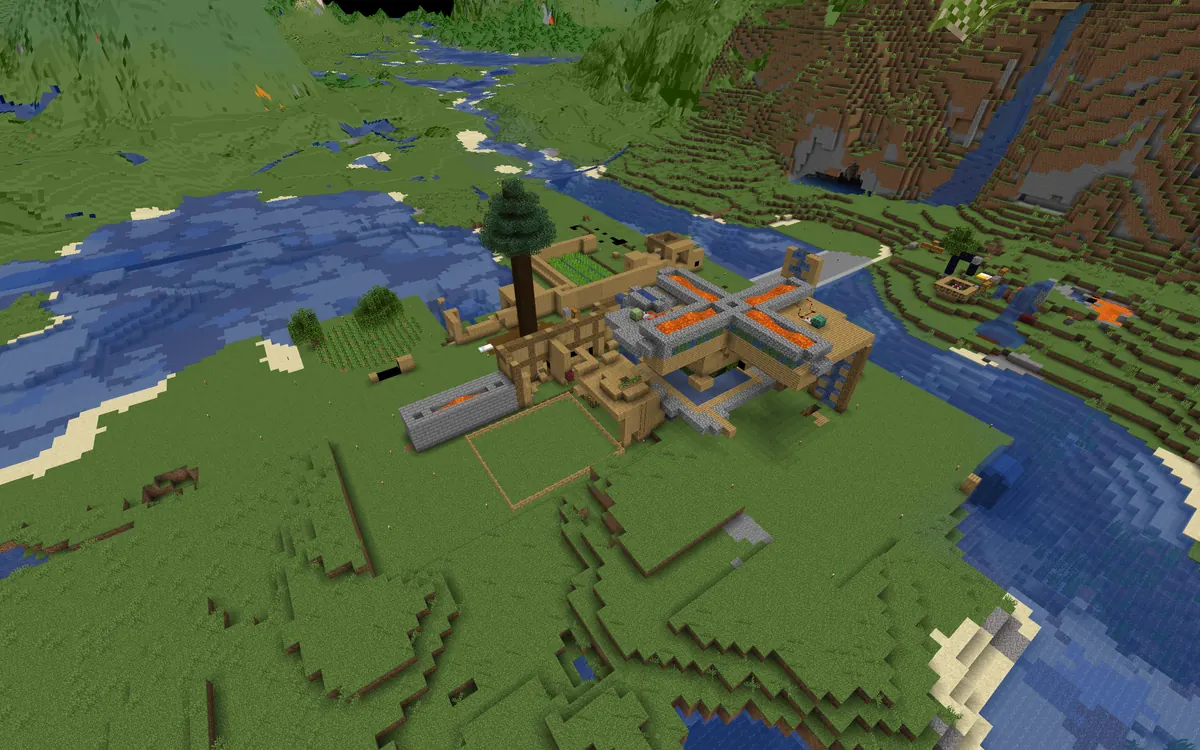
Background: a BlueMap render of a world hosted with mcctl배경: mcctl로 운영 중인 월드를 BlueMap으로 렌더링背景: mcctl で運用しているワールドの BlueMap レンダー
Docker Minecraft server managerDocker 마인크래프트 서버 매니저Docker マインクラフトサーバーマネージャー

Run them in Docker. Wake them when players connect. Docker로 띄우고, 플레이어가 오면 깨웁니다.Docker で動かし、プレイヤーが来たら起こす。

mcctl puts every Minecraft Java server you host behind a single port. A server starts when the first player connects and stops after it goes idle, so an empty host runs only the router — about 40 MB of RAM. Manage it all from the CLI or the web console. mcctl은 직접 운영하는 마인크래프트 자바 서버를 포트 하나 뒤에 모읍니다. 첫 플레이어가 접속하면 서버가 켜지고, 아무도 없으면 다시 꺼집니다. 그래서 빈 호스트에는 라우터만 남습니다(RAM 약 40MB). 관리는 CLI나 웹 콘솔에서 합니다.mcctl は、あなたが運用するすべての Minecraft Java サーバーをひとつのポートの後ろにまとめます。最初のプレイヤーが接続するとサーバーが起動し、誰もいなくなれば停止します。空いているホストで動くのはルーターだけ — RAM 約 40MB です。管理は CLI でも Web コンソールでも行えます。

$ npm install -g @minecraft-docker/mcctl
Linux · macOS · Windows (WSL2) Node.js ≥ 18 · Docker ≥ 24 Full install guide →インストールガイド → 설치 가이드 →
npm version npm downloads GitHub issues Documentation status License
1port for every server (:25565)모든 서버를 포트 하나로 (:25565)すべてのサーバーをひとつのポートで (:25565)
~40MBRAM while every server sleeps모든 서버가 쉴 때 RAM全サーバー休止中の RAM
12server types, plus modpacks서버 타입 + 모드팩サーバータイプ + モッドパック
3mod sources: Modrinth, CurseForge, Spiget모드 소스: Modrinth, CurseForge, SpigetMod ソース: Modrinth、CurseForge、Spiget
your servers, from one terminal서버 전체를 터미널 하나에서すべてのサーバーをひとつのターミナルから pick a server ↓서버를 골라 보세요 ↓サーバーを選んでください ↓
mcctl — ~/minecraft-servers mc-router :25565

SERVERS

$ mcctl status

=== Server Status (mc-router Managed) ===

INFRASTRUCTURE
SERVICE              STATUS       HEALTH     PORT/INFO
-------              ------       ------     ---------
mc-router            running      healthy    :25565 (hostname routing)
avahi-daemon         running      (system)   mDNS broadcast

MINECRAFT SERVERS
SERVER               STATUS       HEALTH     HOSTNAME
------               ------       ------     --------
survival             running      healthy    survival.local,survival.192.168.1.50.nip.io
creative             exited       unhealthy  creative.local,creative.192.168.1.50.nip.io
modded               running      healthy    modded.local,modded.192.168.1.50.nip.io

A mock-up built from real mcctl output. exited isn't broken — the server is asleep, and mc-router starts it on the next connection. 실제 mcctl 출력으로 만든 목업입니다. exited는 고장이 아니라 쉬는 상태이며, 다음 접속 때 mc-router가 다시 켭니다.実際の mcctl 出力から作ったモックアップです。exited は故障ではなく休止中の状態で、次の接続時に mc-router が起動します。

01 / Features기능機能

Built for people who host for friends.친구들 서버를 직접 굴리는 사람을 위해.友だちのためにサーバーを立てる人のために。

01

One port, every server포트 하나로 모든 서버ひとつのポートで全サーバー

mc-router reads the hostname a player connects with and forwards them to the matching container. Use nip.io names with no client setup, .local names over mDNS, or a playit.gg tunnel for friends outside your network.mc-router가 접속 주소의 호스트명을 보고 해당 컨테이너로 연결합니다. 클라이언트 설정이 필요 없는 nip.io 주소, mDNS(.local) 주소, 외부 친구용 playit.gg 터널을 지원합니다.mc-router はプレイヤーが接続に使ったホスト名を読み取り、対応するコンテナへ転送します。クライアント設定不要の nip.io アドレス、mDNS の .local アドレス、ネットワーク外の友だち向けの playit.gg トンネルが使えます。

survival.192.168.1.50.nip.io→mc-survival
creative.local→mc-creative
xx-xx.craft.playit.gg→mc-modded
02

Asleep until someone joins누군가 들어올 때까지 잠들기誰かが来るまで眠らせる

Servers start on the first connection and stop after an idle timeout. When nobody is playing, only the router and its helpers stay up.첫 접속에 서버가 켜지고, 일정 시간 아무도 없으면 꺼집니다. 아무도 플레이하지 않을 때는 라우터와 보조 서비스만 남습니다.最初の接続でサーバーが起動し、一定時間誰もいなければ停止します。誰も遊んでいないときに動いているのは、ルーターと補助サービスだけです。

survivalrunning
moddedstarting
creativeexited
03

Mods and modpacks from the CLI모드와 모드팩을 CLI로Mod とモッドパックを CLI で

Search and add mods from Modrinth, CurseForge, and Spiget. Create a server straight from a Modrinth modpack — the loader is detected and client-only mods are left out.Modrinth, CurseForge, Spiget에서 모드를 찾아 추가합니다. Modrinth 모드팩으로 바로 서버를 만들면 로더를 자동으로 감지하고 클라이언트 전용 모드는 뺍니다.Modrinth、CurseForge、Spiget から Mod を検索して追加できます。Modrinth のモッドパックから直接サーバーを作ると、ローダーを自動検出し、クライアント専用 Mod は除外します。

$ mcctl create pack -t MODRINTH --modpack cobblemon
04

Worlds that move between servers서버를 옮겨 다니는 월드サーバー間を移動できるワールド

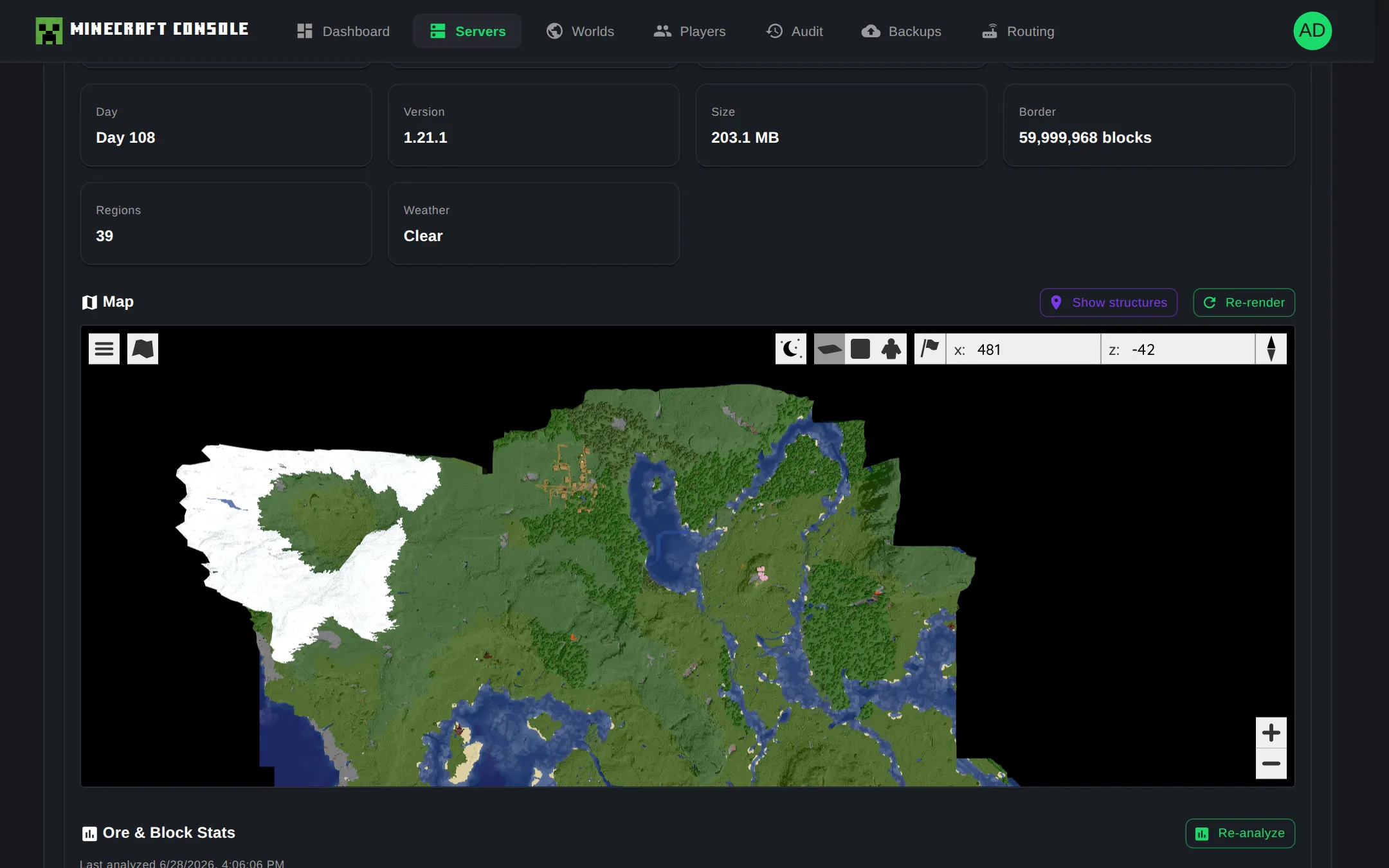
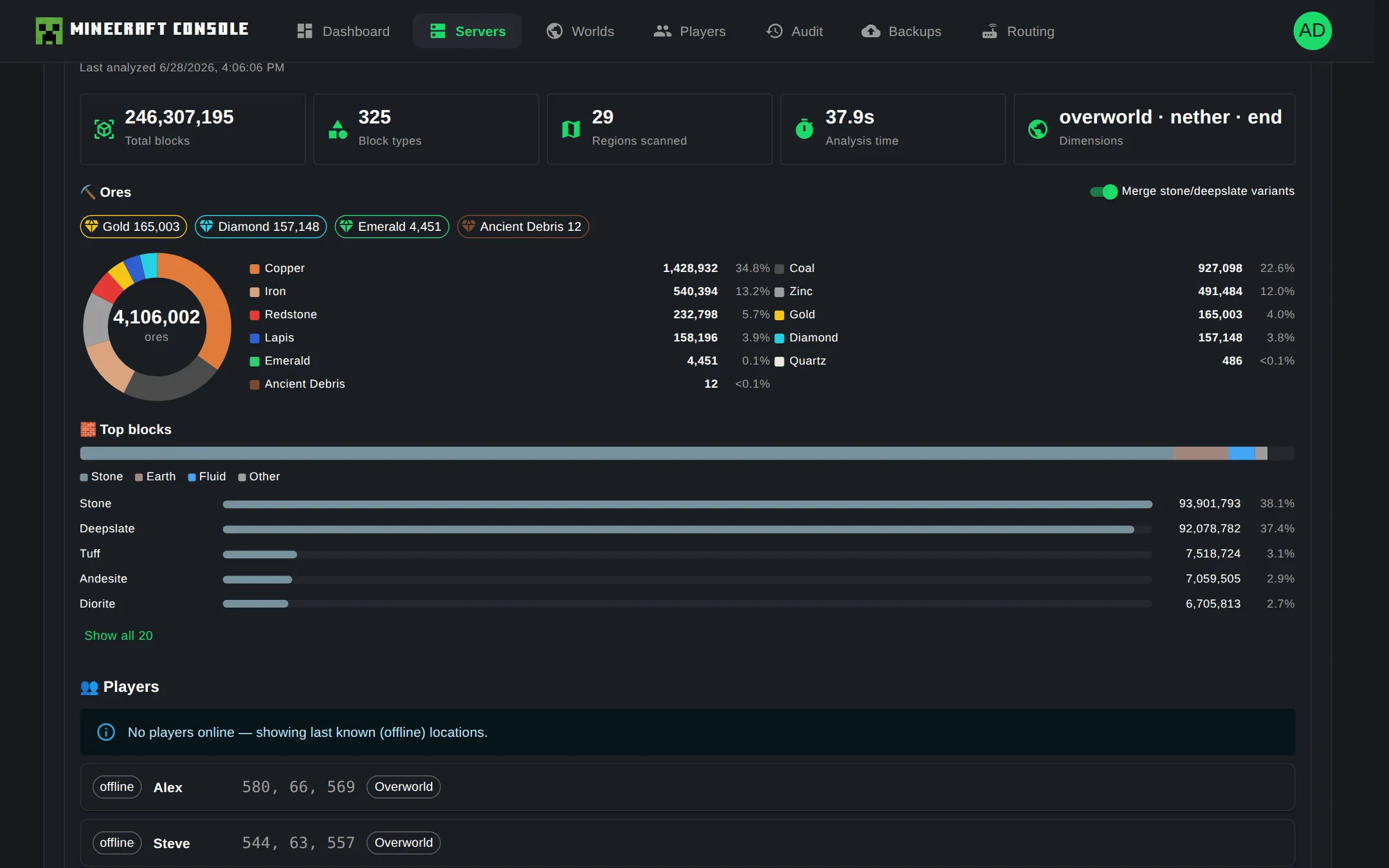
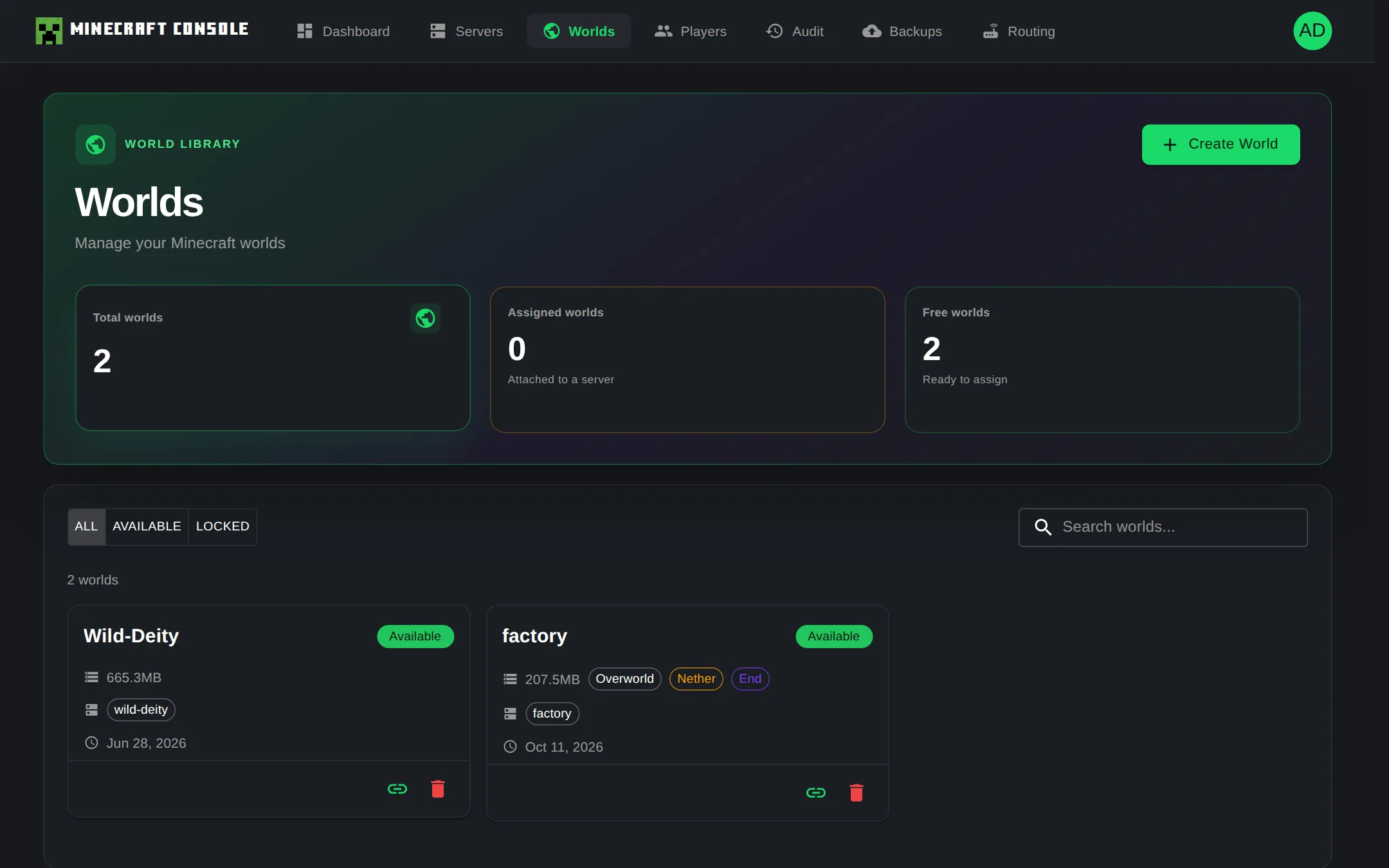
Worlds live in one shared directory. Assign a world to a server and it stays locked until released. Import worlds from ZIP, then browse dimensions, structures, players, and a BlueMap web map.월드는 공용 디렉터리 한곳에 보관됩니다. 서버에 할당한 월드는 해제할 때까지 잠깁니다. ZIP으로 월드를 가져오고 차원·구조물·플레이어 정보와 BlueMap 웹 지도를 볼 수 있습니다.ワールドは共有ディレクトリにまとめて保存されます。サーバーに割り当てたワールドは、解除するまでロックされます。ZIP からワールドを取り込み、ディメンション・構造物・プレイヤー情報や BlueMap の Web マップを確認できます。

$ mcctl world assign hardcore-01 survival
05

Backups to your GitHub내 GitHub로 백업GitHub へバックアップ

Push world data to a private GitHub repository on demand or on a cron schedule with retention, and restore from any backup commit.월드 데이터를 비공개 GitHub 저장소에 직접 또는 cron 일정으로 푸시하고 보관 정책을 적용합니다. 원하는 백업 커밋으로 복원할 수 있습니다.ワールドデータを非公開の GitHub リポジトリへ手動または cron スケジュールでプッシュし、保持ポリシーを適用できます。任意のバックアップコミットから復元できます。

$ mcctl backup schedule add --cron daily
06

A web console when you want one필요할 땐 웹 콘솔必要なときは Web コンソール

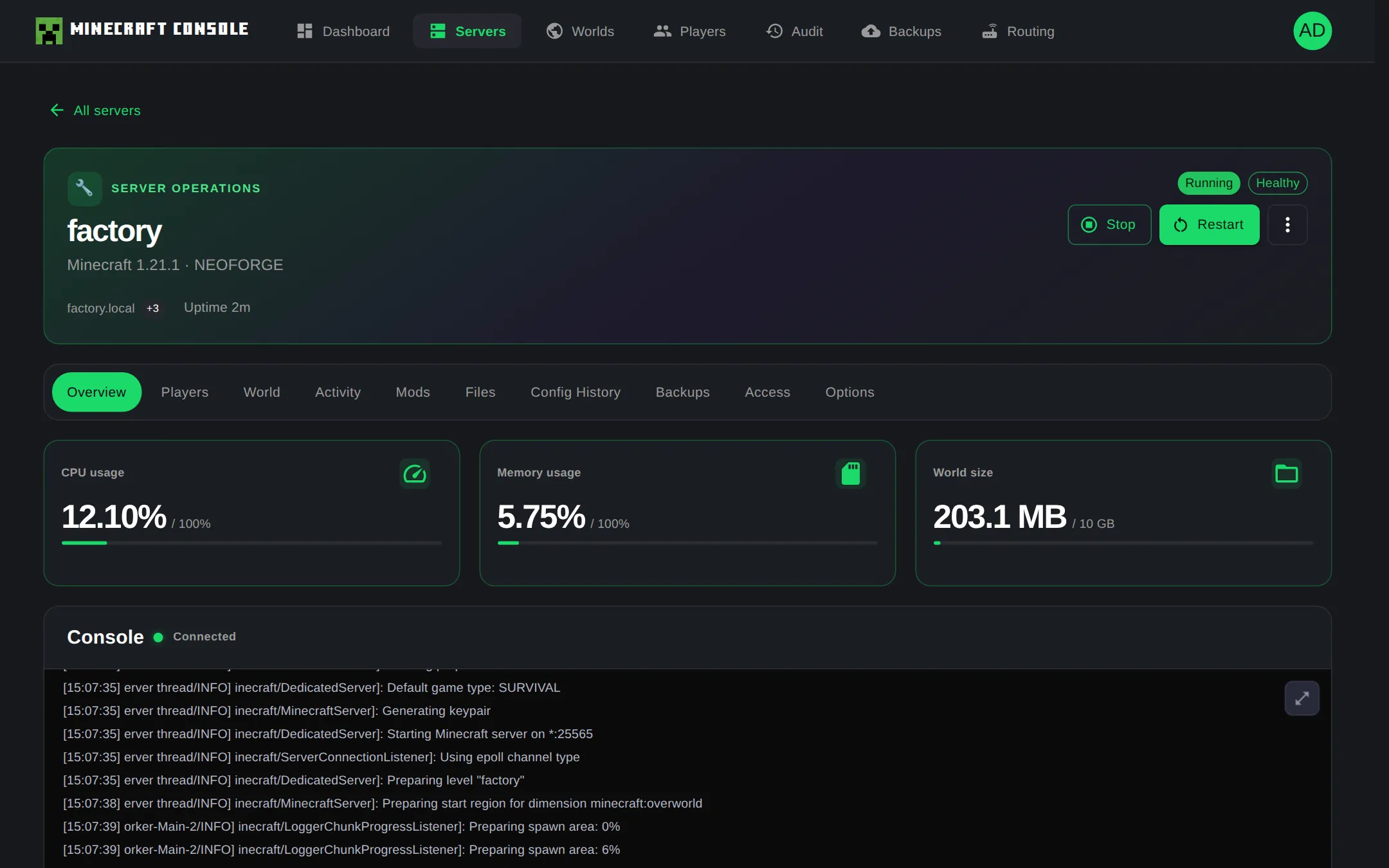
mcctl console init adds a Next.js console and a REST API: file manager, server.properties editor, player panels, audit logs, and an installable PWA.mcctl console init으로 Next.js 콘솔과 REST API를 추가합니다. 파일 관리자, server.properties 편집기, 플레이어 패널, 감사 로그, 설치형 PWA를 제공합니다.mcctl console init で Next.js コンソールと REST API を追加できます。ファイルマネージャー、server.properties エディター、プレイヤーパネル、監査ログ、インストール可能な PWA を備えています。

:5000 web console :5001 REST API PM2
02 / Web console웹 콘솔Web コンソール

Everything the CLI does, in a browser.CLI로 하던 일을 브라우저에서.CLI でできることを、ブラウザで。

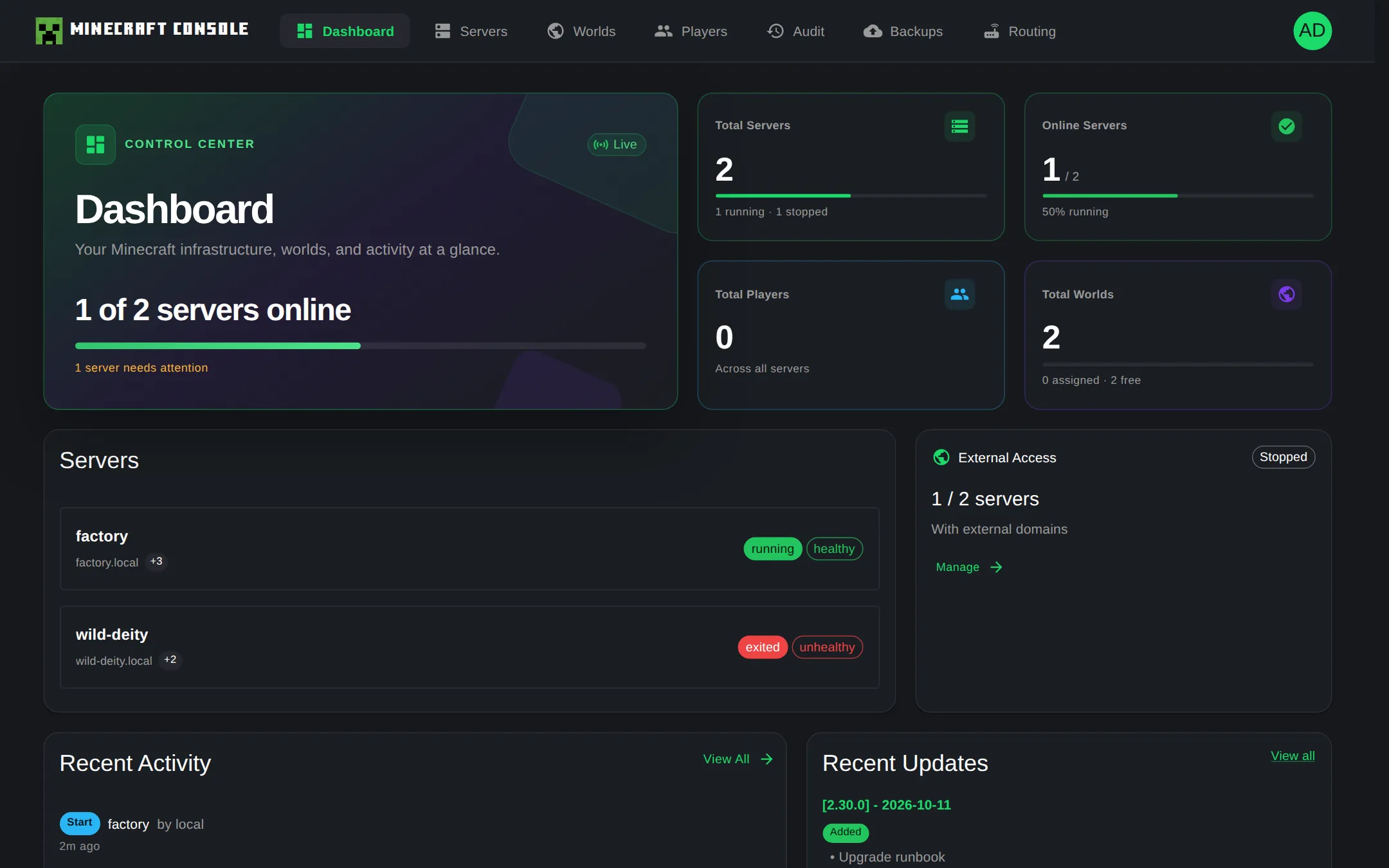
Captured from a running mcctl console. IP addresses, the tunnel domain, and player names were swapped for placeholders.실행 중인 mcctl 콘솔에서 캡처한 화면입니다. IP 주소, 터널 도메인, 플레이어 이름은 예시 값으로 바꿨습니다.稼働中の mcctl コンソールからキャプチャした画面です。IP アドレス、トンネルのドメイン、プレイヤー名はサンプル値に置き換えています。

localhost:5000
mcctl console dashboard with server, player and world counts
Servers, players, worlds, external access, and recent activity at a glance.서버·플레이어·월드·외부 접속·최근 활동을 한 화면에서.サーバー、プレイヤー、ワールド、外部アクセス、最近のアクティビティをひと目で。
03 / Architecture아키텍처アーキテクチャ

One port in. One container per server.들어오는 포트는 하나, 서버마다 컨테이너 하나.入口のポートはひとつ、サーバーごとにコンテナひとつ。

Built on itzg/minecraft-server and itzg/mc-router. No firewall rule per server, no port list to remember.itzg/minecraft-server와 itzg/mc-router 기반. 서버마다 방화벽 규칙을 열거나 포트 번호를 외울 필요가 없습니다.itzg/minecraft-server と itzg/mc-router がベースです。サーバーごとにファイアウォールを開けたり、ポート番号を覚えたりする必要はありません。

Players connect by hostname to mc-router on port 25565, which forwards each one to its server container and starts sleeping servers. mcctl and Minecraft Server Manager manage the containers through Docker. DOCKER SteveSteveStevesurvival.192.168.1.50.nip.io AlexAlexAlexcreative.local builder_kimbuilder_kimbuilder_kimsurvival.192.168.1.50.nip.io Friend · via playit.gg친구 · playit.gg 경유友だち · playit.gg 経由xx-xx.craft.playit.gg ROUTERmc-router:25565routes by hostname호스트명으로 라우팅ホスト名でルーティングstarts sleeping servers잠든 서버를 깨움眠っているサーバーを起動 mc-survivalPaper 1.21.1running mc-creativePaper 1.21.1sleepingstartingrunning mc-moddedFabric 1.21.1running CLImcctlcreate · start · stop WEBMinecraft ServerManager:5000 console:5001 REST API Players connect by hostname to mc-router on port 25565, which forwards each one to its server container and starts sleeping servers. mcctl and Minecraft Server Manager manage the containers through Docker. DOCKER SteveSteveSteve AlexAlexAlex builder_kimbuilder_kimbuilder_kim Friend친구友だち mc-router:25565routes by hostname호스트명으로 라우팅ホスト名でルーティング mc-survivalPaper 1.21.1running mc-creativePaper 1.21.1sleepingstartingrunning mc-moddedFabric 1.21.1running CLImcctlcreate · start · stop WEBMinecraft ServerManager:5000 · :5001

Each colour is one hostname. mc-router reads it from the Minecraft handshake and forwards the player to that container — starting it first if it is asleep. mcctl and Minecraft Server Manager drive the containers through Docker.색 하나가 호스트명 하나입니다. mc-router가 접속 패킷에서 호스트명을 읽어 해당 컨테이너로 보내고, 잠든 서버는 먼저 깨웁니다. mcctl과 Minecraft Server Manager는 Docker를 통해 컨테이너를 관리합니다.色ひとつがホスト名ひとつです。mc-router は Minecraft のハンドシェイクからホスト名を読み取り、そのコンテナへプレイヤーを転送します。眠っていれば先に起動します。mcctl と Minecraft Server Manager は Docker を通じてコンテナを管理します。

Players플레이어プレイヤー

Minecraft Java

Connect by hostname:호스트명으로 접속:ホスト名で接続:

  • <server>.<ip>.nip.io
  • <server>.local
  • *.craft.playit.gg
Router라우터ルーター

mc-router :25565

Routes by hostname, starts a stopped server on connect, stops it after the idle timeout.호스트명으로 라우팅하고, 접속하면 꺼진 서버를 켜고, 유휴 시간이 지나면 끕니다.ホスト名でルーティングし、接続があれば停止中のサーバーを起動、アイドル時間が過ぎれば停止します。

Servers서버サーバー

itzg/minecraft-server

One container per server, sharing a worlds directory.서버마다 컨테이너 하나, 월드 디렉터리는 공유.サーバーごとにコンテナひとつ、ワールドディレクトリは共有。

  • mc-survival · Paper
  • mc-modded · Fabric
  • mc-creative · Paper
Manage관리管理

mcctl

CLI, plus an optional Fastify REST API and Next.js console that read the Docker socket read-only.CLI, 그리고 Docker 소켓을 읽기 전용으로 쓰는 Fastify REST API와 Next.js 콘솔(선택).CLI と、Docker ソケットを読み取り専用で使う Fastify REST API・Next.js コンソール(任意)。

  • :5001 mcctl-api
  • :5000 mcctl-console
04 / External access외부 접속外部アクセス

Play with friends outside your home.집 밖에 있는 친구와도 함께.家の外にいる友だちとも一緒に。

By default your servers are reachable only on your home network. Turn on playit.gg and friends anywhere can join — no port forwarding, no router settings, no static IP. A free playit.gg account is enough.기본적으로 서버는 우리 집 네트워크 안에서만 접속됩니다. playit.gg를 켜면 어디에 있는 친구든 들어올 수 있습니다. 포트 포워딩도, 공유기 설정도, 고정 IP도 필요 없고 무료 playit.gg 계정이면 충분합니다.初期状態では、サーバーには自宅のネットワーク内からしか接続できません。playit.gg を有効にすれば、どこにいる友だちでも参加できます。ポート開放もルーター設定も固定 IP も不要で、無料の playit.gg アカウントで十分です。

  1. mcctl playit setup

    Paste the agent SECRET_KEY from your playit.gg account.playit.gg 계정에서 발급한 에이전트 SECRET_KEY를 입력합니다.playit.gg アカウントで発行したエージェントの SECRET_KEY を入力します。

  2. mcctl playit start

    Start the playit-agent container next to mc-router.mc-router 옆에서 playit-agent 컨테이너를 실행합니다.mc-router の隣で playit-agent コンテナを起動します。

  3. Minecraft Java → localhost:25565

    On playit.gg, add a Minecraft Java tunnel that points to localhost:25565.playit.gg에서 localhost:25565로 향하는 Minecraft Java 터널을 추가합니다.playit.gg で、localhost:25565 に向けた Minecraft Java トンネルを追加します。

  4. mcctl create myserver -t PAPER -v 1.21.1 --playit-domain xx-xx.craft.playit.gg

    Register the tunnel domain. Friends join xx-xx.craft.playit.gg — no port number.터널 도메인을 서버에 등록합니다. 친구는 포트 번호 없이 xx-xx.craft.playit.gg로 접속합니다.トンネルのドメインをサーバーに登録します。友だちはポート番号なしで xx-xx.craft.playit.gg に接続します。

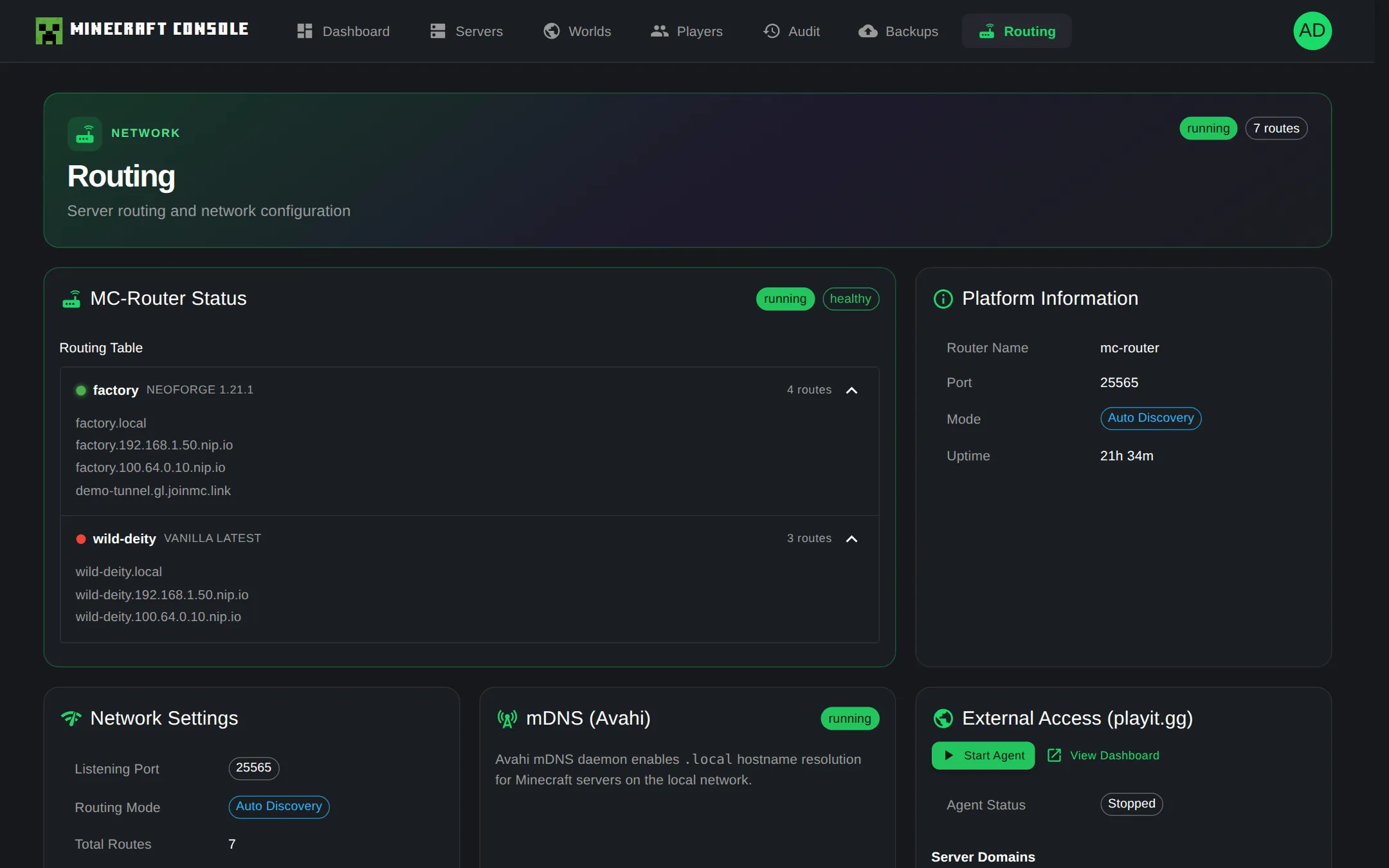
The tunnel lands on mc-router, so a sleeping server still wakes when a friend joins. You can also start or stop the agent from the web console's Routing page. playit.gg is a separate third-party service.터널은 mc-router로 들어오므로 친구가 접속해도 잠든 서버가 똑같이 깨어납니다. 에이전트는 웹 콘솔의 라우팅 화면에서도 켜고 끌 수 있습니다. playit.gg는 별도의 외부 서비스입니다.トンネルは mc-router に届くので、友だちが接続すれば眠っているサーバーも同じように起動します。エージェントは Web コンソールのルーティング画面からも起動・停止できます。playit.gg は別のサードパーティサービスです。

Friend친구友だちxx-xx.craft.playit.gg
playit.ggTCP relay on the internet인터넷의 TCP 중계インターネット上の TCP 中継
Your home network우리 집 네트워크自宅のネットワーク
playit-agentcontainer on your host호스트의 컨테이너ホスト上のコンテナ
mc-router:25565
mc-myserverwakes on join접속하면 깨어남接続すると起動
05 / Commands명령어コマンド

One command per job.작업 하나에 명령 하나.作業ひとつに、コマンドひとつ。

click a card to copy카드를 누르면 복사됩니다カードをクリックするとコピーします
Get started시작하기はじめる

Your first server in four commands.명령 네 줄이면 첫 서버가 뜹니다.コマンド 4 行で最初のサーバーを。

Needs Node.js 18+ and Docker Engine 24+ on Linux or macOS. Your existing Minecraft client is all players need.Linux 또는 macOS에 Node.js 18+, Docker Engine 24+가 필요합니다. 플레이어는 평소 쓰던 마인크래프트 클라이언트만 있으면 됩니다.Linux または macOS に Node.js 18 以上と Docker Engine 24 以上が必要です。プレイヤーは、いつもの Minecraft クライアントがあれば十分です。

$ npm install -g @minecraft-docker/mcctl
$ mcctl init
$ mcctl create myserver -t PAPER -v 1.21.1
$ mcctl console init   # optional: web console

Then connect to myserver.<HOST_IP>.nip.io:25565 그다음 myserver.<HOST_IP>.nip.io:25565로 접속하세요その後 myserver.<HOST_IP>.nip.io:25565 に接続してください

06 / FAQ자주 묻는 질문よくある質問

Questions before you install.설치 전에 많이 묻는 질문.インストール前によくある質問。

What is Minecraft Server Manager (mcctl)?Minecraft Server Manager(mcctl)는 무엇인가요?Minecraft Server Manager (mcctl) とは何ですか?

A free, open-source (Apache-2.0) CLI and web console for running Minecraft Java Edition servers in Docker. Each server runs in its own itzg/minecraft-server container, and itzg/mc-router puts them all behind port 25565.Docker로 마인크래프트 자바 에디션 서버를 운영하는 무료 오픈소스(Apache-2.0) CLI와 웹 콘솔입니다. 서버마다 itzg/minecraft-server 컨테이너가 따로 뜨고, itzg/mc-router가 모든 서버를 25565 포트 하나 뒤에 둡니다.Docker で Minecraft Java Edition サーバーを運用するための、無料のオープンソース (Apache-2.0) CLI と Web コンソールです。サーバーごとに itzg/minecraft-server のコンテナが動き、itzg/mc-router がすべてのサーバーをポート 25565 の後ろにまとめます。

How do I run multiple Minecraft servers on one port?포트 하나로 마인크래프트 서버 여러 개를 어떻게 돌리나요?ひとつのポートで複数の Minecraft サーバーを動かすには?

mc-router listens on port 25565 and sends each player to a server based on the hostname they connect to, such as survival.192.168.1.100.nip.io or survival.local. Every server is its own container, so you don't open a port per server. Connecting with a bare IP doesn't work, because the router needs a hostname.mc-router가 25565 포트에서 접속을 받아, 플레이어가 입력한 호스트 이름(예: survival.192.168.1.100.nip.io, survival.local)을 보고 해당 서버로 보냅니다. 서버마다 컨테이너가 따로라 서버별로 포트를 열 필요가 없습니다. 라우터가 호스트 이름으로 서버를 구분하기 때문에 IP만으로는 접속되지 않습니다.mc-router がポート 25565 で待ち受け、プレイヤーが接続したホスト名 (例: survival.192.168.1.100.nip.io、survival.local) を見てサーバーに振り分けます。サーバーごとに別コンテナなので、サーバーごとにポートを開ける必要はありません。ルーターはホスト名で区別するため、IP だけでは接続できません。

Do idle servers keep using RAM?아무도 없는 서버도 RAM을 계속 쓰나요?誰もいないサーバーも RAM を使い続けますか?

No. A server starts when the first player connects and stops after 10 minutes with no players (change it with AUTO_SCALE_DOWN_AFTER). When every server is stopped, only the router runs, using about 40 MB of RAM.아닙니다. 첫 플레이어가 접속하면 서버가 켜지고, 플레이어가 없는 상태로 10분이 지나면 꺼집니다(AUTO_SCALE_DOWN_AFTER로 변경 가능). 모든 서버가 꺼져 있으면 라우터만 남고, RAM은 약 40MB를 씁니다.いいえ。最初のプレイヤーが接続するとサーバーが起動し、プレイヤーがいない状態が 10 分続くと停止します (AUTO_SCALE_DOWN_AFTER で変更可能)。すべてのサーバーが停止していれば動くのはルーターだけで、RAM は約 40MB です。

Which server types and mods are supported?어떤 서버 종류와 모드를 지원하나요?どのサーバーの種類と Mod に対応していますか?

Paper (the default), Vanilla, Forge, NeoForge, Fabric, Spigot, Bukkit, Purpur, and Quilt, plus Modrinth modpacks. You can search for mods and plugins and add them from Modrinth, CurseForge, and Spiget.Paper(기본값), Vanilla, Forge, NeoForge, Fabric, Spigot, Bukkit, Purpur, Quilt와 Modrinth 모드팩을 지원합니다. 모드와 플러그인은 Modrinth, CurseForge, Spiget에서 검색해 추가할 수 있습니다.Paper (デフォルト)、Vanilla、Forge、NeoForge、Fabric、Spigot、Bukkit、Purpur、Quilt と、Modrinth の Modpack に対応しています。Mod とプラグインは Modrinth、CurseForge、Spiget から検索して追加できます。

Does it support Bedrock Edition?베드락 에디션도 지원하나요?統合版 (Bedrock Edition) に対応していますか?

No. It supports Minecraft Java Edition only.아니요. 마인크래프트 자바 에디션만 지원합니다.いいえ。Minecraft Java Edition のみに対応しています。

Can friends outside my home network join without port forwarding?포트 포워딩 없이 집 밖의 친구도 접속할 수 있나요?ポート開放なしで、家の外の友だちも参加できますか?

Yes. playit.gg tunneling gives your servers a public address without opening ports on your router. A VPN mesh such as Tailscale or ZeroTier also works.네. playit.gg 터널링을 쓰면 공유기 포트를 열지 않고도 외부에서 접속할 주소가 생깁니다. Tailscale이나 ZeroTier 같은 VPN 메시도 쓸 수 있습니다.はい。playit.gg のトンネルを使えば、ルーターのポートを開けずに外部から接続できるアドレスが手に入ります。Tailscale や ZeroTier などの VPN メッシュも使えます。

Is there a web interface?웹 화면도 있나요?Web 画面はありますか?

Yes. mcctl console init sets up the Management Console: a web UI on port 5000 and a REST API on port 5001. From a browser you can manage servers, worlds, players, and server files.네. mcctl console init으로 관리 콘솔을 설치하면 웹 UI(포트 5000)와 REST API(포트 5001)가 생깁니다. 브라우저에서 서버, 월드, 플레이어, 서버 파일을 관리할 수 있습니다.はい。mcctl console init で管理コンソールをセットアップすると、Web UI (ポート 5000) と REST API (ポート 5001) が使えます。ブラウザからサーバー、ワールド、プレイヤー、サーバーファイルを管理できます。

What do I need to run it?실행하려면 무엇이 필요한가요?動かすには何が必要ですか?

Linux or macOS (Windows through WSL2) with Node.js 18+, Docker Engine 24+, and Docker Compose 2.20+. Install it with npm install -g @minecraft-docker/mcctl. Players only need their usual Minecraft Java client.Linux 또는 macOS(Windows는 WSL2)에 Node.js 18+, Docker Engine 24+, Docker Compose 2.20+가 필요합니다. 설치는 npm install -g @minecraft-docker/mcctl 한 줄입니다. 플레이어는 평소 쓰던 마인크래프트 자바 클라이언트만 있으면 됩니다.Linux または macOS (Windows は WSL2) に Node.js 18 以上、Docker Engine 24 以上、Docker Compose 2.20 以上が必要です。インストールは npm install -g @minecraft-docker/mcctl の 1 行です。プレイヤーは、いつもの Minecraft Java クライアントがあれば十分です。

How are worlds backed up?월드 백업은 어떻게 하나요?ワールドのバックアップはどうしますか?

mcctl can push worlds to a private GitHub repository, and backups can run on a cron schedule with retention policies. You only need a GitHub account for the GitHub backup feature.월드를 비공개 GitHub 저장소에 백업할 수 있고, cron 일정과 보관 정책으로 자동 백업을 돌릴 수 있습니다. GitHub 계정은 GitHub 백업 기능을 쓸 때만 필요합니다.ワールドを非公開の GitHub リポジトリにバックアップでき、cron スケジュールと保持ポリシーで自動化できます。GitHub アカウントが必要なのは、GitHub バックアップ機能を使うときだけです。

08 / About소개紹介

Built by a dad, for two brothers.두 형제를 위해, 아빠가 만들었습니다.父が、ふたりの兄弟のために作りました。

I'm a software engineer and the dad of two boys. When they were little they loved Minecraft — and more than anything, they loved playing it together.저는 아들 둘을 둔 소프트웨어 개발자입니다. 형제는 어릴 때부터 마인크래프트를 좋아했고, 무엇보다 같이 하는 걸 좋아했습니다.私は息子ふたりを持つソフトウェアエンジニアです。兄弟は小さい頃から Minecraft が大好きで、何より一緒に遊ぶのが好きでした。

Then came 2020. COVID closed the schools and the playgrounds, and Minecraft became the one place my younger son could still meet his friends. I put a Bedrock server on the Google Cloud free tier for them and kept it running for a year.그러다 2020년, 코로나로 학교도 놀이터도 닫혔습니다. 둘째가 친구들과 모여 놀 수 있는 곳은 마인크래프트뿐이었죠. 둘째와 친구들을 위해 GCP 무료 플랜에 베드락 서버를 올리고 1년 동안 운영했습니다.そして 2020 年、コロナで学校も公園も閉ざされました。下の息子が友だちと集まって遊べる場所は Minecraft だけでした。息子と友だちのために Google Cloud の無料枠に Bedrock サーバーを立て、1 年間運用しました。

For a while I tried paid hosting too, but it was expensive, and the features and speed never felt right. In 2025 I installed Ubuntu on a Mac mini at home and started building servers for the boys with itzg/minecraft-server.한동안 유료 호스팅도 써 봤지만, 비싼 데다 기능과 속도가 만족스럽지 않았습니다. 2025년에는 집에 있는 맥미니에 우분투를 설치하고 itzg/minecraft-server로 아이들 서버를 직접 만들어 주기 시작했습니다.しばらく有料のホスティングも使ってみましたが、高いうえに機能も速度も満足できませんでした。2025 年には自宅の Mac mini に Ubuntu を入れ、itzg/minecraft-server で子どもたちのサーバーを自分で作り始めました。

Today the older one is in university and the younger one is in middle school, and they still play together now and then. The tools I wrote to run their servers grew into the mcctl CLI and the web console, and I've released them as open source.지금은 대학생이 된 첫째와 중학생 둘째가 가끔 여전히 함께 게임을 합니다. 아이들 서버를 관리하려고 만든 도구가 mcctl CLI와 웹 콘솔로 자랐고, 이를 오픈소스로 공개했습니다.大学生になった兄と中学生の弟は、今でもときどき一緒に遊んでいます。子どもたちのサーバーを管理するために作ったツールが mcctl CLI と Web コンソールに育ち、それをオープンソースとして公開しました。

If you run a world for the friends and family you play with, I hope this makes it a little easier.— One day in 2026, from a software engineer dad친구, 가족과 함께할 서버를 운영하는 모든 분께 이 도구가 조금이나마 수고를 덜어 주길 바랍니다.— 2026년 어느 날, 소프트웨어 개발자 아빠로부터友だちや家族と遊ぶためのワールドを運用しているすべての方にとって、このツールが少しでも助けになればうれしいです。— 2026 年のある日、ソフトウェアエンジニアの父より

  1. COVID. A Bedrock server on the GCP free tier for my younger son and his friends, run for a year.코로나. 둘째와 친구들을 위해 GCP 무료 플랜에 베드락 서버를 올려 1년간 운영.コロナ。下の息子と友だちのために GCP の無料枠に Bedrock サーバーを立て、1 年間運用。
  2. Paid hosting. Expensive, and the features and speed fell short.유료 호스팅. 비싸고 기능·속도가 아쉬웠음.有料ホスティング。高く、機能も速度も物足りなかった。
  3. Home server. Ubuntu on a Mac mini, servers for the brothers with itzg/minecraft-server.홈 서버. 맥미니에 우분투를 설치하고 itzg/minecraft-server로 형제의 서버를 호스팅.ホームサーバー。Mac mini に Ubuntu を入れ、itzg/minecraft-server で兄弟のサーバーをホスティング。
  4. Shell scripts. Bash scripts around Docker Compose and mc-router: create-server.sh, backup.sh, lock.sh…셸 스크립트. Docker Compose와 mc-router를 다루는 bash 스크립트: create-server.sh, backup.sh, lock.sh…シェルスクリプト。Docker Compose と mc-router を扱う bash スクリプト: create-server.sh、backup.sh、lock.sh…
  5. TypeScript CLI. mcctl wraps those scripts. Built for the boys first, then polished and released as open source on npm.TypeScript CLI. 그 스크립트를 감싼 mcctl. 아이들을 위해 만든 도구의 완성도를 높여 npm에 오픈소스로 공개.TypeScript CLI。そのスクリプトをラップした mcctl。子どもたちのために作ったツールの完成度を高め、npm でオープンソースとして公開。
  6. Web console. A REST API and a Next.js console wrap the CLI again, so servers can be managed from a browser.웹 관리 도구. CLI를 다시 감싼 REST API와 Next.js 웹 콘솔. 브라우저에서 서버 관리.Web 管理ツール。CLI をさらにラップした REST API と Next.js の Web コンソール。ブラウザからサーバーを管理。
  7. Still playing. A university student and a middle schooler, still logging in together.여전히 함께. 대학생 형과 중학생 동생이 아직도 같이 접속합니다.今も一緒に。大学生の兄と中学生の弟が、今でも一緒にログインしています。